Your agents write the code.Laimon writes the backlog.
An AI Product Owner for teams whose code is mostly agent-written. Say what you want in chat or Slack and it files a groomed, agent-ready story. Your coding agent pulls its next task straight off the board over MCP — and Laimon keeps the sprint, the roadmap and the owners current on its own, every hour, whether or not you open it.
What we kept hearing
Your throughput doubled.Your planning didn’t.
Somewhere in the last few months the agents went from helping to writing most of what merges. Nothing about how the work gets decided changed to match — so the board went stale the week they took over, and the person who owns the roadmap became the slowest part of their own pipeline.
- My agents ship faster than I can decide what they should ship. I'm the bottleneck now.
- I haven't opened the backlog in three weeks. Half of what's in there is already built.
- The tickets live in my Claude Code prompts, and then they're gone.
- The agent is great on a well-specified story and useless on a one-liner, so grooming is now my whole job.
- I write the investor update from git log. That's the actual process.
The grooming still happens. It happens on Sunday night, reading diffs to reconstruct what the week actually did — and it is the first thing to get skipped when the week was bad.
Four moves, and one of them is yours
The loop runs whether or not you are watching it. The last step doesn’t.
Step 1
You say it
A sentence in chat or Slack. A pasted screenshot counts.
Step 2
Laimon files it
Title, description, acceptance criteria, type, priority, points — under the right epic.
Step 3
Your agent pulls it
Claude Code or Cursor takes the next Ready story over MCP, with your project rules.
Step 4· you
You close it
The agent moves it to In Review with its test attestation. Done is yours to press.
Pillar one
Describe it once. Get a story your agent can build from.
The hours you spend writing specifications for a machine go back to you — and the bug that arrived as a Slack screenshot gets filed instead of forgotten.
What’s actually behind it
- One sentence becomes a title, description, acceptance criteria, type, priority and story points, filed under the epic you named.
- Paste a screenshot into Slack and the image is re-uploaded and attached to the item it files.
- Up to 25 items in a single request, or your exact wording persisted untouched when you would rather it didn't improvise.
There is no manual “new item” form anywhere in the app. Everything is created by talking to it.
Pillar two
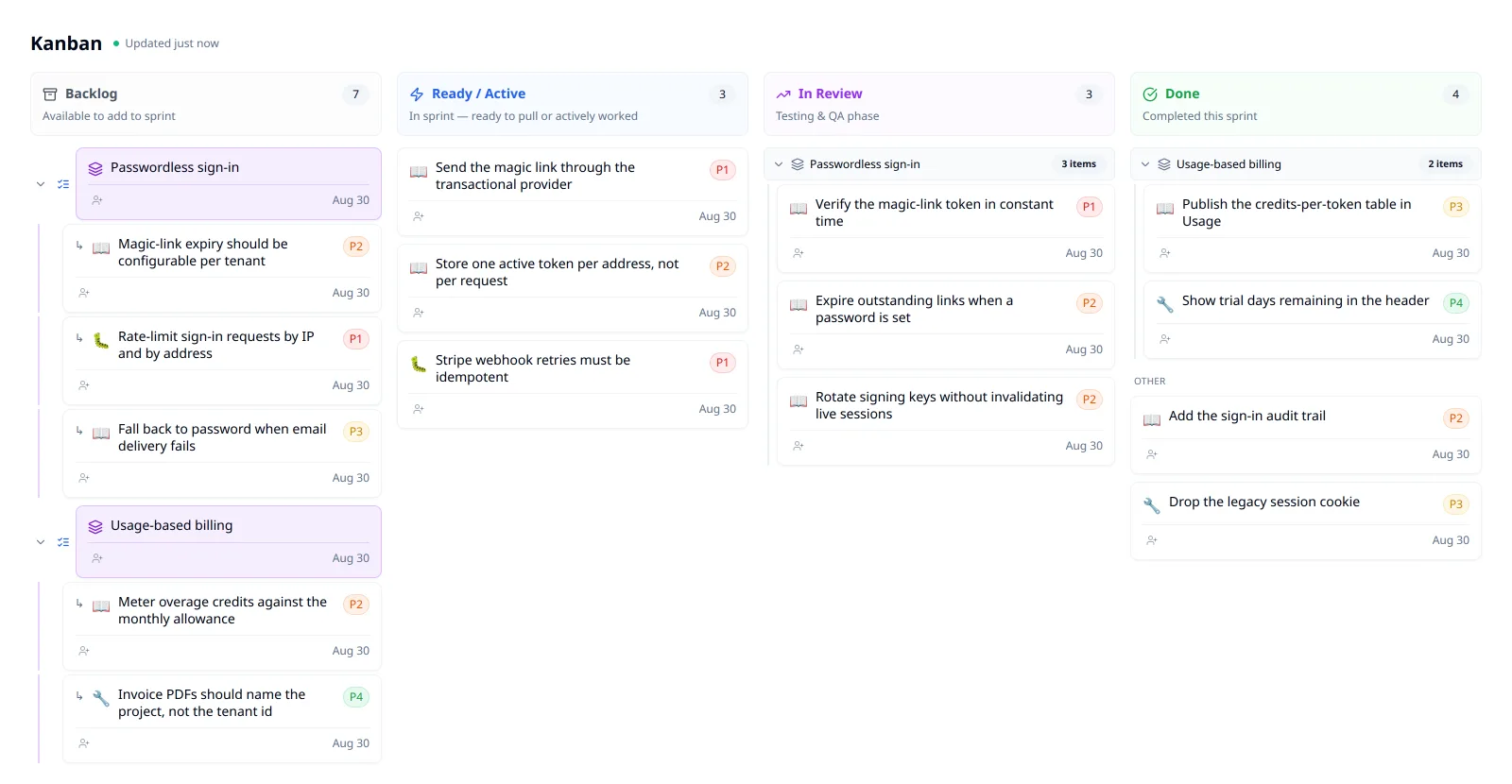
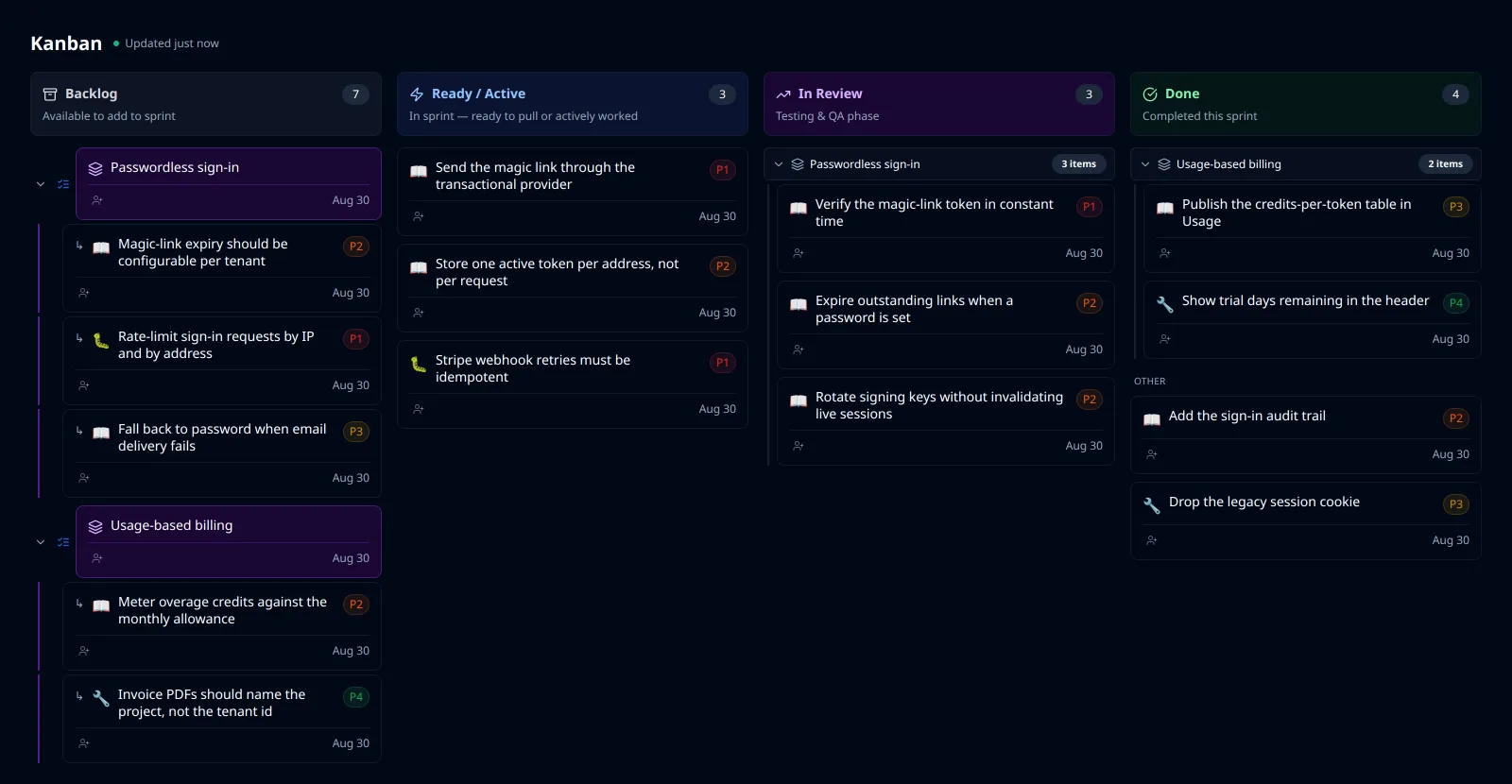
The board grooms itself on the hour, between the times you look at it.
You stop opening a board that is three weeks behind reality, and stop being the person your agents are idling on. The handful of calls only you can make arrive as one question with your name on it.
What’s actually behind it
- An hourly pass runs deterministic work before any model call — and only inside working hours it learned from your own commit history.
- Fills a sprint that is under-committed, and decomposes a near-term milestone into an epic and stories when ready work runs thin.
- Assigns unowned in-progress items to whoever's commits dominate them — never overwriting an owner a person set.
It acts immediately rather than asking first. There is no approval queue and no undo, so it is scoped to the board and never to your code.
Pillar three
Your coding agent takes its own next story off the board.
No copy-pasting a ticket into a prompt, and no gap between the plan and what Claude Code is actually doing — because they are the same object.
What’s actually behind it
- A production MCP server your agent signs into: it lists the sprint's Ready column as a numbered menu and loads full story JSON with epic context.
- It pulls your project's own CLAUDE.md and .cursor rules, and gets regression context for the files it is about to edit.
- It hands work back to In Review with a written record of every check it ran — and can file the bugs it finds on the way.
Pillar four
Nothing reaches Done on an agent's word.
When your board says done, a person said done. The specific humiliation of closing work on an agent's confidence and finding later that it was never finished is designed out rather than warned about.
What’s actually behind it
- Laimon is structurally incapable of setting Done. The status is reserved for human closure, and the executor throws on any agent attempt.
- The card carries the agent's test attestation — pass and fail chips with re-run commands, beside numbered steps for a human to verify.
- Its own replies are cross-checked against the tool trace it actually ran. A claimed write that did not happen is replaced with an honest message.
A tracker is a database of things you typed.
That was a fair trade when you were also the one writing the code. It stopped being one the week your agents started merging most of it.
A project tracker
- Records what a person typed into it
- Is exactly as current as your last grooming session
- Hands your agent a ticket only after you copy it into a prompt
- Marks done when somebody clicks done
A product owner that happens to be software
- Writes the story from a sentence you said in Slack
- Re-reads the board every hour and acts on what it finds
- Serves the work to your coding agent over MCP, rules included
- Refuses to mark done, and shows you what was run instead
Don’t start a trial if…
You want a tracker you drive yourself
There is no “new item” form. Everything is created by talking to Laimon, and if that sounds like friction rather than relief, this is the wrong tool.
You need an approval step before anything changes
Laimon acts immediately. There is no confirmation queue and no undo — it is scoped to your board, never your code, but if your process requires a gate, it isn't here.
You are migrating a large existing backlog
There is no Jira, Linear or Notion importer. This is a fresh board that fills up as you talk to it, which suits one product and one repo far better than a five-year archive.
What you need for the autonomous half to work
- A GitHub repository
- A Slack workspace
- An MCP-speaking coding agent — we use Claude, Claude Code and Cursor daily
The hourly pass only runs when GitHub and Slack are both connected. Without them you still get the chat-driven backlog and the MCP server — just not a board that grooms itself while you sleep.
Pricing
Per project. Every plan includes unlimited team members and the full platform. The difference is how many AI credits you get each month—credits are consumed when Laimon runs (chat, backlog grooming, sprint digests, and other token-backed work).
Solo
For a one-person business
1,000
AI credits / month
Billed yearly · per project
- Unlimited team members
- All modules included
- Per project billing
- Chat support
Team
For a small company
2,000
AI credits / month
Billed yearly · per project
- Unlimited team members
- All modules included
- Per project billing
- Chat support
Scale
For a larger company
5,000
AI credits / month
Billed yearly · per project
- Unlimited team members
- All modules included
- Per project billing
- Priority chat support
Questions people ask before signing up
If yours is not here, ask us — and the documentation goes further than any of these answers do.
What is an AI Product Owner?
An AI Product Owner is software that performs the product-owner role rather than recording it: it turns intent into work items a coding agent can execute, keeps the backlog in that state as things change, decides what belongs in this week’s sprint, and checks returned work against the criteria the item was accepted on. Laimonade is one. It does not write code — it briefs the agents that do.
How is this different from Jira or Linear?
Jira and Linear store the items you write, at whatever quality you wrote them. Laimonade writes and rewrites the items themselves, then serves them to coding agents over MCP in a form they can act on without a person translating. The unit of work carries acceptance criteria, the repos and paths it touches, its dependencies and the regression notes for that area — because an agent, unlike a person in a standup, cannot fill in the gaps.
Which coding agents does it work with?
Laimonade connects to any coding agent that speaks the Model Context Protocol. The ones we use daily are Claude, Claude Code and Cursor. It is an official Claude connector, so in Claude there is nothing to paste. Laimonade does not replace your coding agent and has no code generation of its own; it decides what the agent should build next and reviews what came back.
Do you train models on our code or our backlog?
No. The privacy policy states that we do not sell connector data or use it to train models. What does leave Laimonade is stated there too: the content of your backlog is sent to the AI assistant you choose to connect, and that assistant’s own privacy policy governs what it does with what it receives, while Laimonade separately uses AI providers to power its own features.
What can a connected coding agent actually see?
Only the projects you granted when you signed in — their backlog, sprints, roadmap and the project rules you stored in Laimonade, and nothing outside them. A connection cannot read your Claude memory, your chat history, your conversation summaries or files you uploaded to the assistant. Each action is recorded as an activity row holding the action name, whether it succeeded, an error code if not, how long it took and a session identifier — not your prompts, the assistant’s replies, or any part of the discussion around the work.
Can an agent mark work as done, or give itself more to do?
No, and neither is a permission setting — there is no tool that does either. An agent can move an item as far as In Review; deciding something is finished stays with a person. Unattended implementation is opt-in per item, set by a person, and an agent cannot add items to that queue, including its own.
What does it cost, and what is a credit?
Plans start at €18 per month per project, billed yearly, and every plan includes the full platform and unlimited team members — the difference between them is monthly AI credits. A credit is consumed when Laimon does token-backed work on your behalf: grooming an item, planning a sprint, writing a work order, producing a digest. Credits are metered from AI token usage only, so reading the board, moving a card and inviting a colleague cost nothing.
What happens if we run out of credits?
Laimon stops taking new token-backed work rather than billing you for more. Credits reset monthly and do not roll over, and you are never charged for something you did not choose. The board, the backlog and the MCP connection keep working — it is the AI work that pauses, not your access.
How long does setup take?
One conversation. You describe what you are building, Laimon drafts the roadmap and the first items from that, and you connect a coding agent with a URL and a sign-in. There is no data migration to plan and no import to schedule — which also means there is nothing to bring across from an existing tracker.
Can I cancel, and what happens to our data?
You can cancel at any time, and cancellation takes effect at the end of the current billing period. You keep ownership of the content you submit — the terms of service say so explicitly — and the privacy policy sets out how long information is retained and your right to ask for its deletion.